


Build right-to-left surveys with logical text storage, correct dir attributes, dir="auto" on every input and textarea, logical CSS properties for mirroring, and a research-grade translation workflow checked by native-speaker testers. This approach follows W3C i18n guidance and empirical BiDi interface research, and it’s exactly how we at Veridata Insights structure projects for clients who need Arabic, Hebrew, or other right-to-left audiences to respond without friction. Below is the checklist, the technical detail, and the QA steps that make it work.
TL;DR:
- Store text in logical reading order with UTF-8, set dir=rtl on relevant content, and use CSS logical properties instead of left and right rules.
- Add dir=auto to every input and textarea, mark embedded left to right text, and transmit direction metadata when the form framework supports it.
- Mirror page navigation and progress indicators, but test sliders, rating scales, numeric inputs, and trend charts with native speakers because widget preferences vary.
- Use a translation, review, adjudication, pretesting, and documentation workflow, then recruit 10 to 20 native RTL speakers for cognitive interviews and widget tests.
- Test across browsers, devices, and screen readers, then soft launch and track completion and dropout by question while checking open text for garbling.
Table of Contents
- Quick checklist before you hand off to programmers
- Getting the HTML and CSS foundation right
- Setting up inputs and text fields correctly
- Deciding which widgets to mirror and which to test
- Translating and localizing without losing measurement intent
- Running QA and user testing before launch
- How we build research-grade RTL surveys for you
- FAQ
- Sources
Quick checklist before you hand off to programmers
Before any developer touches your survey code, confirm these items. We know it’s tempting to skip straight to “just translate it,” but that can lead to garbled text and higher dropout.
- Store all text in logical order and encode everything in UTF-8 from the start.
- Set
dir="rtl"at the document or block level wherever the content requires it. - Use CSS logical properties (start and end, not left and right) so layouts mirror automatically.
- Add
dir="auto"to every input and textarea field. - Where your platform supports it, pass direction metadata along with form submissions.
- Wrap unpredictable injected text (names, URLs, codes) in
bditags or explicitdirattributes. - Run translations through a TRAPD-style process with native-speaker review.
- Recruit native RTL testers early, not as an afterthought two days before launch.
Use this as your gate: if a section can’t check every box, it’s not ready for the field.
Getting the HTML and CSS foundation right
The biggest mistake we see in RTL survey builds is confusing visual order with logical order. Logical order means storing text in the sequence a reader would speak it, letting the Unicode Bidirectional Algorithm handle the rendering. Logical ordering is what makes mixed content (Arabic text with embedded Latin numbers, for instance) display correctly and remain accessible to screen readers. Visual ordering, where you manually arrange characters to “look right,” breaks the moment content changes or gets read by assistive technology.
Once your content is stored logically, direction has to be declared. Adding dir="rtl" to the <html> tag, or to specific block-level elements, flips text alignment, reverses table column progression, and repositions punctuation correctly, as outlined in W3C’s guidance on structural markup for right-to-left text.
From there, CSS logical properties do the heavy lifting. Instead of hardcoding margin-left or text-align: left, use margin-inline-start and text-align: start. When dir is set correctly, the browser mirrors the whole layout for you, which is safer than manually flipping every property by hand and far less error-prone during future edits.
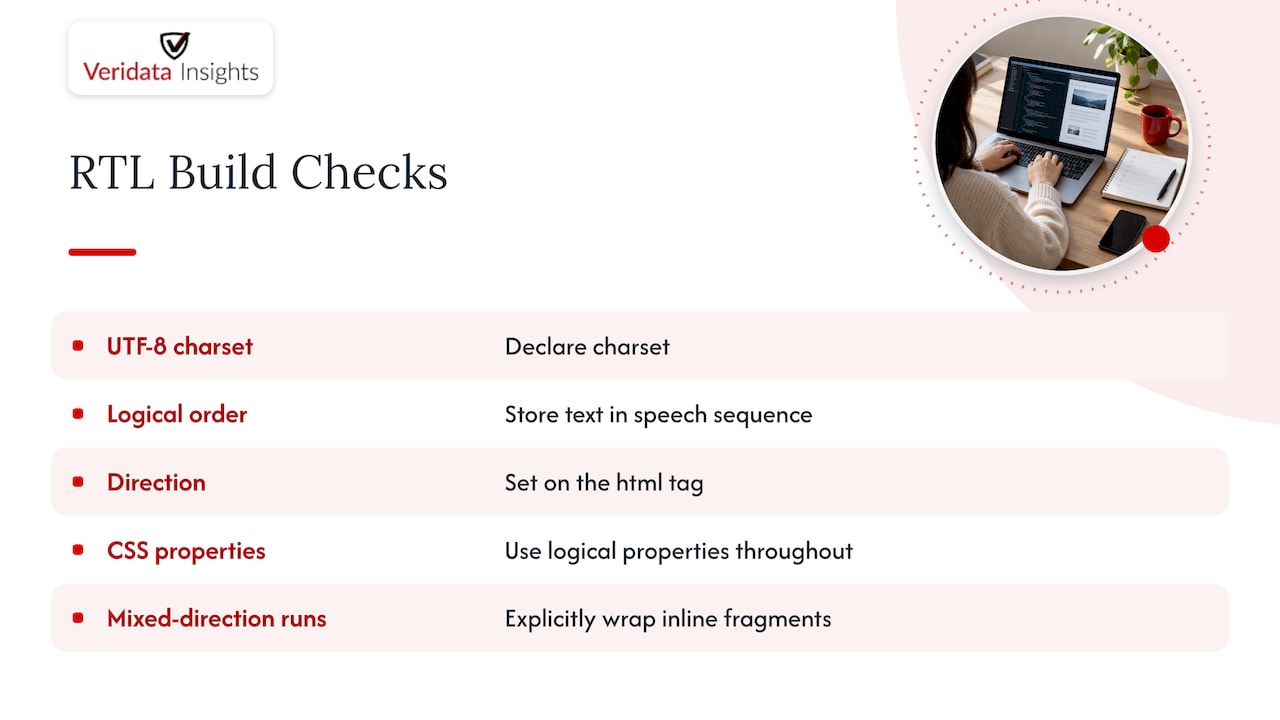
For inline fragments that mix directions, such as a brand name in English sitting inside an Arabic sentence, wrap the fragment in a bdi element or apply dir="auto" to the wrapping container. Your dev ticket should include: UTF-8 charset declared, dir set on the html tag, logical CSS properties throughout, and any inline mixed-direction runs explicitly wrapped.
Setting up inputs and text fields correctly
Form fields are where RTL surveys quietly fail. A respondent starts typing in Arabic and the cursor jumps to the wrong side, or a phone number ends up with its digits in reverse order. The fix is straightforward.
- Add
dir="auto"to every input and textarea so the browser detects direction from the first strong character typed, which W3C authoring guidance identifies as the standard fix for cursor jumps and layout breaks during typing. - Where your form framework supports it, include direction metadata (the
dirnameorsubmitdirconcept) in the submitted payload so downstream processing and display preserve the respondent’s intended direction. - Mark any injected LTR content inside RTL fields, like an email address typed into an open-text box, so punctuation and digit placement don’t scramble.
- Expect some variation in respondent behavior tied to keyboard layouts and OS-level direction toggles, since not every device handles the switch identically.
Get this right and respondents are less likely to be distracted by the mechanics. Get it wrong and you’ll see it in abandoned open-text fields.
Deciding which widgets to mirror and which to test
Mirroring the whole page is the easy part. Individual widgets are where guidelines and real user behavior diverge. Research on bidirectional user interfaces found that respondents’ actual preferences for widget direction often don’t match what technical specifications recommend, and that preference varies by element type rather than following one universal rule.
A couple of practical principles follow from that finding. First, always mirror global page flow and navigation (back buttons, progress indicators, menu order) since those follow reading direction consistently. Second, treat individual widgets like sliders, numeric range inputs, star ratings, and trend graphs as open questions. The same study found that interfaces technically compliant with RTL guidelines still confused users when the widget itself didn’t match intuitive expectations.
- Mirror page-level navigation, progress bars, and overall reading flow by default.
- Test sliders, star ratings, numeric scales, and trend charts separately with native RTL users rather than assuming a mirrored version is correct.
- Check matrix and grid questions carefully: column order and row labels need to read sensibly right to left, not just flip visually.
Pro Tip: For any widget where mirroring is ambiguous, run a small pilot A/B test and pick whichever version produces lower task failure and lower breakoff, rather than relying on a style guide alone.
Translating and localizing without losing measurement intent
Technical correctness means nothing if the translated question asks something different from what you intended. A TRAPD-style process (translation, review, adjudication, pretesting, documentation) paired with expert panel review catches wording problems before they reach the field. Research into Arabic-language surveys by Najat Elgeberi found that poor visual presentation and ignoring local expectations correlate with higher dropout and weaker data quality, with recommendations centered on expert review and simplified question formats.
- Avoid complex matrix questions and double-barreled items in translation; they tend to compound confusion in RTL layouts.
- Adapt examples and reference points to local context rather than translating them literally.
- Loop translators in with programmers early so placeholders, punctuation, and dynamic text behave correctly once coded.
- Pretest translated items with native speakers using cognitive interviewing to surface wording or layout problems before launch.
Our TRAPD-focused translation playbook walks through this process in more depth if you’re building the workflow for the first time.
Running QA and user testing before launch
A tight QA pass catches the bugs that cost you data quality later. Work through these in order:
- Test across a device and browser matrix, including screen readers, since structural markup guidance and logical-ordering best practices both affect how assistive technology interprets your pages.
- Recruit 10 to 20 native RTL respondents for cognitive interviews and widget-preference tasks, prioritizing the ambiguous elements flagged by BiDi interface research.
- Verify mixed-direction input handling, numeric formatting, calendar widgets, and that submission payloads carry direction metadata correctly.
- Run a soft launch, monitor completion and dropout rates question by question, and review open-text responses for garbling or misplaced characters.
Pro Tip: Weight your testing budget toward the widgets your pilot flagged as inconsistent rather than spreading effort evenly across every screen.
For teams managing this across several countries at once, our stage-by-stage multi-country survey checklist covers how to sequence QA and soft-launch steps without losing track of language-specific issues. If your QA plan includes accessibility testing with assistive technology, this guidance on web accessibility is a useful reference for screen-reader behavior, and tools like DBLScanner’s international site auditing can help catch mirrored-layout issues programmatically before human testers even log in.
How we build research-grade RTL surveys for you
Designing a right-to-left survey correctly touches programming, translation, recruitment, and QA all at once, and that’s exactly the combination we handle under one roof. Our survey programming and consultation work pairs with translations and localizations so your questionnaire gets coded and reviewed together instead of passed between disconnected vendors. When you need native Arabic, Hebrew, or other RTL-language speakers for cognitive interviews or pilot testing, our respondent recruitment team sources them, including hard-to-reach audiences that general panels struggle to fill.
This matters most on multi-language projects, studies targeting hard-to-reach RTL populations, or any project where measurement equivalence across languages is the whole point of the research. Our full-service market research engagement covers design, translation, programming, recruitment, and analytics as one project. Contact us to discuss availability and project requirements. Reach out and let’s talk through what your RTL study needs before you write a single line of code.
FAQ
Should I set dir=“rtl” on the whole page or just specific elements?
Set dir="rtl" on the <html> tag when the entire survey is in a right-to-left language, and apply it to specific block-level elements only when mixing languages on the same page. This ensures alignment, table columns, and punctuation render correctly throughout, as described in W3C’s structural markup guidance.
Does dir=“auto” work on all form fields?
dir="auto" works on input and textarea fields and lets the browser detect direction from the first strong character typed, which prevents cursor jumps and misplaced punctuation. W3C authoring guidance recommends it as standard practice for any field where respondents might type in either direction.
Why does my mirrored UI still confuse RTL respondents?
Technical compliance with RTL guidelines doesn’t guarantee intuitive behavior for every widget. Empirical BiDi interface research found that individual elements like sliders and rating scales often need user testing rather than a blanket mirroring rule.
How does translation quality affect survey completion rates?
Poor visual presentation and translations that ignore local expectations correlate with higher dropout and weaker data quality, according to research on Arabic-language surveys. Expert panel review and simplified question formats are recommended to address this.
Can Veridata Insights handle both the translation and the programming for an RTL survey?
Yes, our translations and localizations work alongside our survey programming and consultation services so translated content and technical implementation are coordinated rather than handled separately.
Sources
- Visual vs. logical ordering of text
- Towards the Right Direction in BiDirectional User Interfaces
- “The Use Of Surveys In Research Practices In The Arab World: An Empiri” by Najat Elgeberi